
Vision System Applications: Where Computer Vision Delivers Value
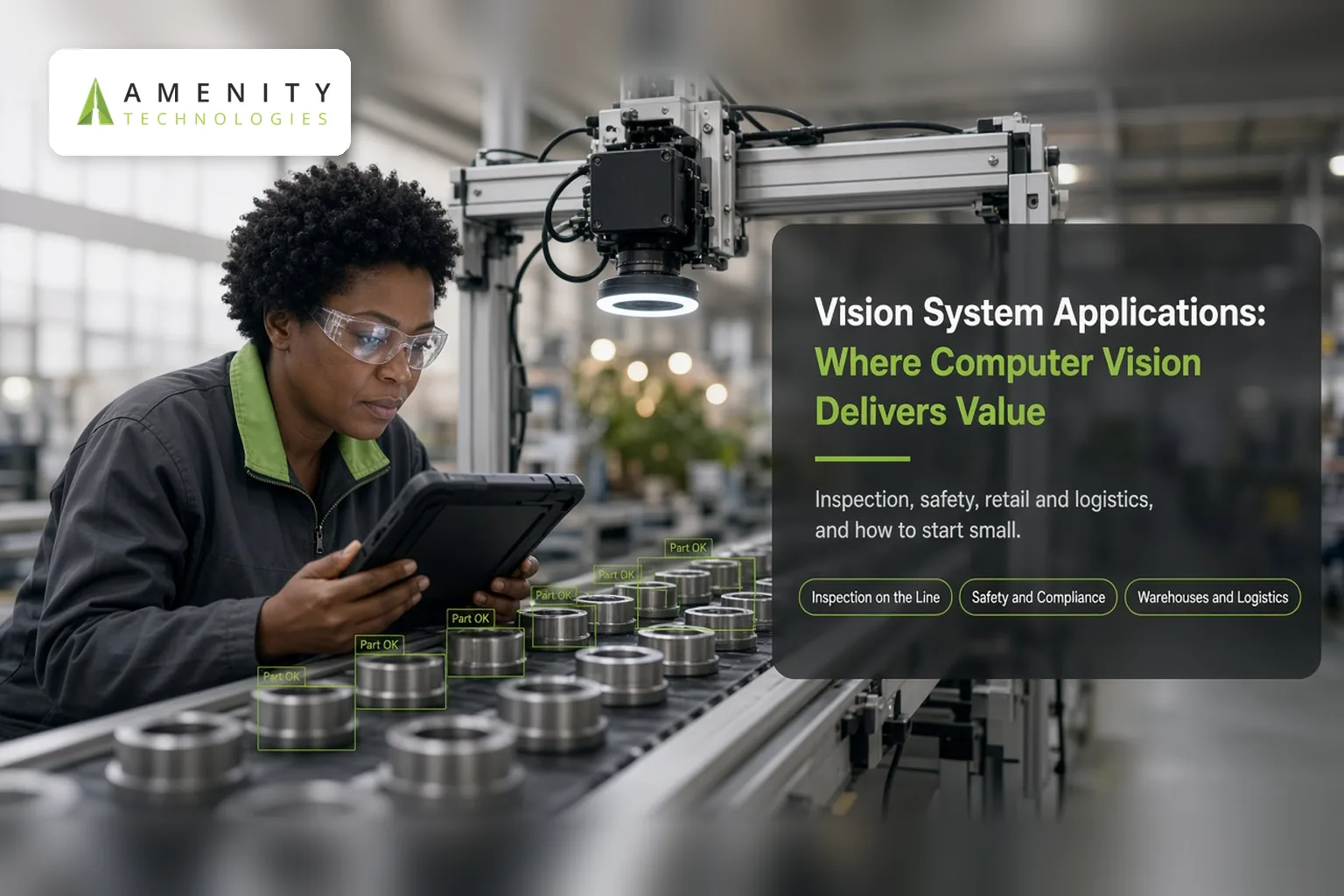
A camera records everything in view and understands none of it. Computer vision software changes that by learning to recognise what matters in an image: a scratch on a part, a missing helmet, an empty shelf, a damaged parcel. Vision system applications work best when the thing to be recognised is clear, visible and repeatable.
Four areas show the range well: inspection, safety, retail and logistics. Each has its own demands, and each reaches limits worth understanding before money is spent.
Inspection on the Line
Manufacturers use vision to check products as they pass: surface marks, missing components, misaligned labels, wrong fill levels. The appeal is steady attention across long production runs, with a record of every decision.
The conditions that make it work are fairly strict. Lighting should be stable, cameras fixed in position, and the system needs plenty of examples of both good and defective items. The weak point is the rare defect. If a fault appears only occasionally, there may be few images to learn from, and a new type of fault that nobody anticipated can pass unnoticed.
Subtle changes in lighting or materials can also unsettle a system that was accurate the week before. Ambiguous cases still call for a person. Record each decision together with the image behind it, so reviewers can audit disputed calls later.
Safety and Compliance
Cameras can watch for people entering restricted zones, workers without protective equipment, or vehicles moving close to pedestrians. The system raises an alert, and someone responds.
Two things matter more than the technology here. First, define precisely what counts as a violation and who acts on an alert. Without that, alerts pile up unanswered. Second, consider the people being filmed.
Monitoring employees raises privacy and notification questions that differ by region and workplace, so involve legal advisers and talk to staff before installation, not afterwards. A system that is seen as surveillance rather than protection tends to meet resistance. Running it in alert-only mode at first, before it triggers any action, shows how often its alerts are right.
Retail Floors and Shelves
In shops, vision can spot gaps on shelves, misplaced products, long queues or crowded areas. Staff then restock or open another till, instead of discovering the problem by chance.
Success depends on product images, a consistent camera angle and a clear picture of the shelf layout. Difficulties arise with crowded displays, similar-looking packaging and items hidden behind others. Customer privacy needs thought as well. Many uses, such as counting or detecting empty shelves, do not require identifying anyone, and designing the system to avoid doing so is usually wise. Take legal advice on the rules in your market.
Warehouses and Logistics
Here the uses include reading labels and codes, spotting damaged parcels, counting items on a pallet, checking that a loading bay contains what the paperwork says, and logging vehicles at a gate.
The obstacles are practical. Labels may be torn, smudged or hidden. Motion blur affects fast-moving conveyors, and lighting varies between a bright dock and a dim aisle. Throughput matters too, since a system that cannot keep pace with the flow of goods helps no one. Test in the real environment at real speed, not in a quiet corner.
What the Data Needs
Every one of these applications depends on images, and the quality of those images sets the ceiling.
Representative Pictures
Collect images from the actual conditions in which the system will run, not from a tidy sample set. Cover the range of lighting, angles, times of day and product variations. Include normal cases and faults in sensible proportions, and add the awkward ones on purpose.
Labels You Can Trust
Someone has to mark what each image shows, and that someone must apply the same definition every time. Disagreement between reviewers about what counts as a defect or a violation will carry straight into the system. Settle definitions in writing, have a second person check a sample, and review disputed examples together.
Continuing Collection
Conditions drift. New products arrive, packaging changes, cameras are moved, seasons alter the light. Plan to keep collecting images and testing performance after launch, instead of treating the first version as finished.
After the Detection
A detection is only useful if something happens next. Decide what each alert triggers: a line stopping, a ticket, a message to a supervisor, a note in a log.
Connect the vision system to the tools your team already uses, and name who responds and how fast. This integration step belongs in the scope of AI MVP development services engagement, since an alert nobody sees is not a working system. Many early deployments produce accurate alerts that nobody acts on, because the process around them was never designed.
Where the processing takes place also deserves a decision. Analysing images close to the camera reduces the amount of footage sent elsewhere and can speed up the response. Processing remotely can simplify maintenance and updates. Network capacity, privacy requirements and response time will guide the choice.
Privacy and Governance
Images can show people, even when the purpose is to look at products. Decide what is recorded, how long footage is kept, who can view it and how access is logged. Make sure cameras are placed and signposted appropriately, and that the purpose of the system is communicated to the people it affects. Requirements vary by country, sector and workplace, so have your legal team review the design before installation.
Limits to Respect
Vision systems make mistakes, and no honest provider will promise otherwise. Decide in advance what a missed detection costs compared with a false alarm, because tuning reduces one at the expense of the other. Expect trouble with situations that were rare in the training data. Consider how a person will review doubtful cases, and how the system's decisions can be explained afterwards if someone challenges them.
Hardware deserves attention as well: camera placement, lighting, network capacity and the equipment that runs the software. These shape results as much as the software does, and they are easy to overlook in early conversations.
Starting Small
The safest route is a narrow first deployment: one camera, one line or one location, and one clear question for it to answer. Write down the baseline before switching anything on: how many items are checked by hand, how many faults are found, and how long checks take. Without a baseline, an improvement cannot be shown. Measure the results against the current manual process, and keep people in the loop while you learn where it falls short.
Amenity lists computer vision development among its AI solutions. A first deployment on a single line or site is a sensible scope for any first release. Whatever route you take, widen the system only when the results from the first one are clear.
To discuss your vision project development requirements, get in touch with Amenity Technologies.
FAQs
Which industries use vision systems?
Manufacturing, retail, warehousing and logistics are common, along with workplace safety monitoring. The same techniques apply anywhere there is a visible, repeatable thing to recognise.
Can a vision system replace human inspectors?
It can take over repetitive checks, but ambiguous or unusual cases usually still need a person. Many deployments combine the two.
How many images are needed?
It depends on the task and how varied the conditions are. More important than the number is how well the images represent real conditions, including faults and awkward cases.