The Ultimate Guide to AI Chatbot for SaaS Companies: 10 Platforms for Growth
The B2B SaaS landscape has reached a turning point in how companies interact with their users. For years, customer support was treated purely as a cost center, a reactive operation focused on ticket deflection, basic FAQ answers, and keeping support headcount as low as possible.
Today, that static approach is failing. Software-as-a-Service platforms operate on subscription models where retention, product adoption, and expansion revenue dictate survival. Modern SaaS buyers expect instant, context-aware answers to complex questions, whether they are troubleshooting an API integration, setting up Single Sign-On (SSO), or upgrading their plan tier.
This demand has driven the shift toward autonomous, growth-driving conversational AI SaaS solutions. An AI chatbot for SaaS companies acts as an engine for product activation, pipeline velocity, and customer expansion rather than a simple script that redirects users to a help center.
The Shift from Static Support to Growth Engines
Traditional e-commerce chatbots are built for simple, transactional queries: Where is my order? or What is your return policy?
A specialized SaaS chatbot operates under completely different operational requirements:
- Technical Knowledge Depth: Navigating dense developer documentation, release notes, API endpoints, and complex technical edge cases without hallucinating.
- Identity and Account Security: Recognizing user roles, workspace permissions, SSO configurations, and plan entitlements before taking action.
- Product Activation and Onboarding: Guiding users through in-app setups step-by-step to help them hit key feature milestones faster.
- Direct Revenue Generation: Spotting expansion signals, handling plan upgrades, adding seats, or routing high-intent prospects straight to sales reps in real time.
By moving from simple query deflection to active workflow execution, an AI chatbot SaaS setup transforms everyday customer interactions into a measurable driver of net retention and sales volume.
Core Evaluation Framework: What Makes a SaaS AI Chatbot Drive Growth?
Selecting the right platform requires looking past surface-level chat widgets. To evaluate chatbot SaaS companies, measure platforms against four core technical capabilities:
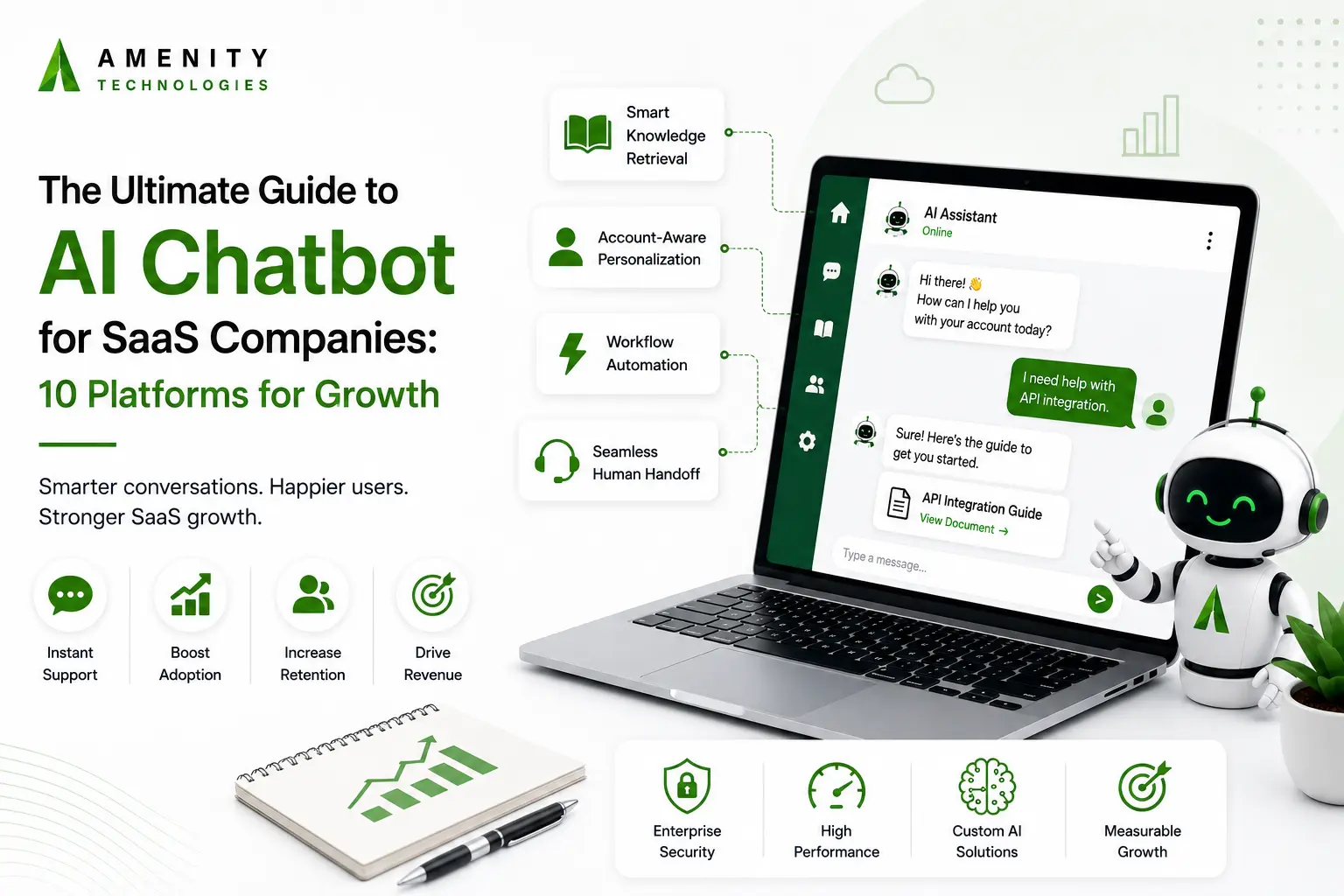
Technical Knowledge Retrieval
The assistant should be able to work with developer documentation, release notes, and GitHub repositories, then use that information when answering technical questions. Responses should point back to the relevant source so developers can see where the answer came from.
Account-Aware Personalization
The experience should change based on the user’s account and permissions. Someone using an Enterprise plan with admin access may be able to do things that a trial user with view-only access cannot, so the assistant should recognize those differences before taking action.
Workflow and Action Capabilities
The assistant should do more than explain the steps. When an approved action can be handled through an API or webhook, users should be able to complete it from the conversation itself; whether that’s creating an API key, adding seats, or making another supported change.
Human Handoffs Without Starting Over
Some issues are better handled by a person. When that happens, the support representative should receive the conversation history, relevant account details, and other useful context so the customer doesn’t have to explain the same problem all over again.
Top 10 AI Chatbot Platforms for SaaS Companies in 2026
| Platform | Clutch Star Rating (out of 5) | Core AI Development Strength |
| Amenity Technologies | 4.8 ★ | Custom software, IoT, & Computer Vision |
| Sketch Development | 5.0 ★ | Rapid generative AI implementation & architecture |
| Neoteric | 4.9 ★ | Custom NLP frameworks & LLM strategies |
| Cheesecake Labs | 4.9 ★ | High-velocity AI platform engineering |
| HatchWorks AI | 4.9 ★ | Enterprise agentic automation pipelines |
| DOOR3 | 4.9 ★ | Complex enterprise system data migrations |
| Dualboot Partners | 4.9 ★ | Dedicated AI product scale-up teams |
| BotsCrew | 4.8 ★ | Complex multi-channel customer care bots |
| STX Next | 4.7 ★ | Data engineering & Python ML models |
| BlueLabel | 4.7 ★ | Conversational user experience design |
Category 1: Custom AI Engineering & System Architecture
1. Amenity Technologies
Amenity Technologies develops custom AI chatbots for SaaS products and enterprise workflows. Its solutions can connect with existing databases, CRMs, authentication systems, and other internal tools instead of operating as a separate chat widget.
This makes the company a practical option for products where the assistant needs to understand account permissions, work across several systems, or carry out more than simple question answering.
2. Sketch Development
Sketch Development works with software companies that want to add generative AI to products they already have. Its work covers AI implementation and cloud architecture, with an emphasis on fitting new capabilities into an existing application rather than rebuilding the whole platform.
For SaaS teams, that can be useful when AI needs to work alongside existing services and databases.
3. Neoteric
Neoteric focuses on NLP and custom LLM development for products that need answers based on their own information. Its work includes retrieval-based systems and tailored AI solutions that can use verified product documentation.
That approach suits SaaS businesses where users ask detailed technical questions and the answers need to come from trusted product sources.
Category 2: AI Platform Engineering
4. Cheesecake Labs
Cheesecake Labs works across product development, cloud infrastructure, and conversational AI. Its teams can help SaaS companies add conversational features to web and mobile products while keeping the experience connected to the rest of the application.
It is a suitable option for businesses looking for development support across several parts of the product rather than chatbot work alone.
5. HatchWorks AI
HatchWorks AI focuses on AI agents that can do more than return an answer. Its work includes systems that connect AI with business processes and allow agents to carry out defined actions.
For B2B SaaS products, this can include requests that involve backend workflows or account-related tasks rather than simple customer questions.
6. DOOR3
DOOR3 combines software development with experience working on established enterprise systems. Its work includes integrations, modernization, and AI development, which makes it relevant for companies that need to add new capabilities without abandoning older infrastructure.
That can matter for larger SaaS products where the existing backend still plays an important role.
Category 3: Product and Conversational AI Development
7. Dualboot Partners
Dualboot Partners provides product development teams that can work alongside an existing engineering organization. Its services include AI features, onboarding experiences, and automated support.
For a growing SaaS company, this model can be useful when additional development capacity is needed without building a completely separate internal AI team.
8. BotsCrew
BotsCrew concentrates on conversational applications and customer-facing bots. Its work spans web, mobile, and messaging channels, with attention to how users move through different conversations.
This makes it worth considering for SaaS products that want a consistent support experience across several customer touchpoints.
Category 4: Data Engineering and User Experience
9. STX Next
STX Next brings a software and data engineering background to AI development. Its work includes Python-based machine learning, data pipelines, model development, and cloud infrastructure.
For SaaS companies expecting substantial query or data volumes, this broader engineering background can be useful when the AI system needs to sit on a dependable technical foundation.
10. BlueLabel
BlueLabel approaches conversational AI from the product and user-experience side. Its work focuses on how people interact with AI inside digital products, including onboarding, feature discovery, and guided tasks.
For SaaS businesses, that focus can be valuable when the challenge isn’t simply adding a chatbot, but making the interaction clear enough that customers actually want to use it.
Implementation Roadmap for Maximum ROI
A good rollout does not try to solve every support problem at once. Start with a few jobs the chatbot can handle well, then build from what the team learns.
Phase 1: Knowledge Base and Access Rules
Give the chatbot the documents it needs, such as help articles, API guides, release notes, and developer material. Set clear account permissions as well. Before letting it make changes for users, test actions like plan updates or API key creation outside the live system.
Phase 2: Choose the First Use Cases
Pick a few requests that come up often. Billing questions, credential resets, and developer onboarding are sensible starting points. Have support and product teams try the chatbot first. Their feedback will show where answers need work and when a person should step in.
Phase 3: Measure and Refine
After launch, pay attention to the conversations themselves. Are people getting their issues resolved? Where are they still asking for help? Reviewing those cases regularly gives the team a practical way to improve the chatbot as the product and documentation change.
How Chatbots Reduce Operational Costs in SaaS
When looking at how chatbots reduce operational costs in SaaS, the biggest difference often comes from the amount of routine support work they can take off the team’s plate. Support costs tend to rise as a SaaS product gains more users, and adding staff at the same pace can become expensive.
Common requests such as password changes, basic product questions, and billing queries can often be handled without a support agent stepping in. That leaves the team with more time for technical issues and conversations that need a person’s judgment.
There is another benefit during onboarding. New users can get help while they are setting up an account instead of waiting for support to respond. For a SaaS company, those small delays matter because a user who cannot get through setup may simply stop using the product.
Closing Thoughts
A chatbot can be useful for more than reducing the number of support tickets. When it is connected to the product and the systems behind it, it can also help customers find answers, get through setup, and complete routine tasks without leaving the application.
The important part is choosing an approach that fits the product. Security requirements, existing systems, customer needs, and the type of support being handled should all be considered before deciding which chatbot or development partner makes sense.
FAQs
Q.1. How does deploying a custom AI assistant impact Tier-1 support costs?
A: An AI chatbot automates up to 70% of repetitive Tier-1 support requests, including onboarding steps, billing queries, and simple troubleshooting. This significantly reduces per-ticket resolution costs and prevents headcount expansion as your user base scales.
Q.2. Can an AI chatbot trigger backend actions directly instead of just sending documentation links?
A: Yes. By connecting to your product’s REST or GraphQL APIs via validated webhooks, an AI chatbot can execute actions natively inside the chat interface such as provisioning API keys, adjusting billing seats, or resetting webhooks without requiring manual user intervention.
Q.3. How does Amenity Technologies guarantee zero-hallucination support for complex B2B products?
A: We build bespoke, citation-backed RAG architectures strictly grounded in your verified technical documentation, API specs, and codebase. Every response provided to your users is verified against your own single source of truth. If you are seeking a custom RAG architecture in action, request a tailored demo tailored to your product stack.